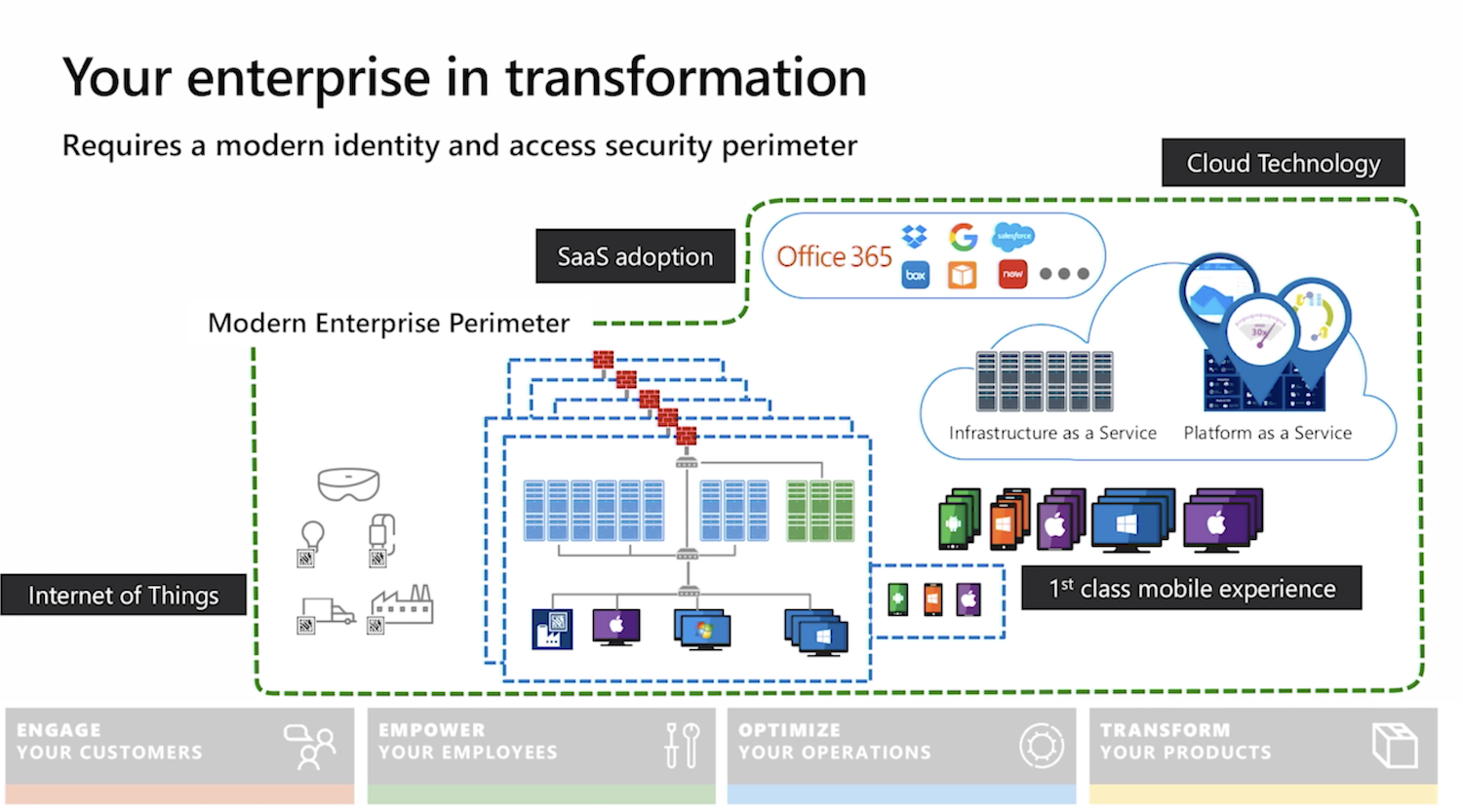
Chief Information Security Officer Workshop is a collection of on-demand videos and slide decks from Microsoft aimed to help CISOs defend a hybrid enterprise (that now includes cloud platforms) from increasingly sophisticated attacks.
A practical approach

Chief Information Security Officer Workshop is a collection of on-demand videos and slide decks from Microsoft aimed to help CISOs defend a hybrid enterprise (that now includes cloud platforms) from increasingly sophisticated attacks.
As many organisations are recognising and experiencing first-hand, cyber-attacks are no longer a matter of if, but when. Recent cyber breaches at major corporations highlight the increasing sophistication, stealth, and persistence of cyber-attacks that organisations are facing today. These breaches are resulting in increased regulatory and business impact.

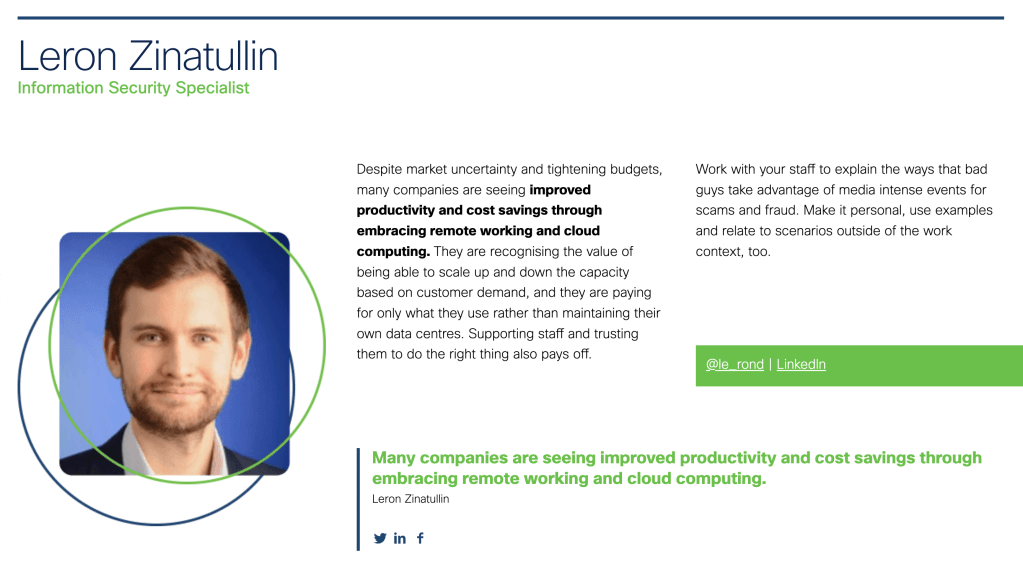
I had a chance to contribute to a free eBook by Cisco on adapting to the challenges presented by the Covid-19 pandemic. Check it out for advice on securing your remote workforce, improving security culture, adjusting your processes and more.


Oil & Gas has always been an industry affected by a wide range of geopolitical, economical and technological factors. The energy transition is one of the more recent macro trends impacting every player in the sector.
Companies are adjusting their business models and reorganising their organisational structures to prepare for the shift to renewable energy. They are becoming more integrated, focusing on consumers’ broader energy needs all the while reducing carbon emissions and addressing sustainability concerns.
To enable this, the missing capabilities get acquired and unwanted assets get divested. Cyber security has a part to play during divestments. preventing business disruption and data leaks during handover. In acquisition scenarios, supporting due diligence and secure integration becomes a focus.
Digital transformation is also high on many boards’ agenda. While cyber security experts are still grappling with the convergence of Information Technology (IT) and Operational Technology (OT) domains, new solutions are being tried out: drones are monitoring for environmental issues, data is being collected from IoT sensors and crunched in the Cloud with help of machine learning. These are deployed alongside existing legacy systems in the geographically distributed infrastructure, adding complexity and increasing attack surface.
It’s hard, it seems, to still get the basics right. Asset control, vulnerability and patch management, network segregation, supply chain risks and poor governance are the problems still waiting to be solved.
The price for neglecting security can be high: devastating ransomware crippling global operations, industrial espionage and even a potential loss of human life as demonstrated by recent cyberattacks.
It’s not all doom and gloom, however. There are many things to be hopeful for. Oil & Gas is an industry with a strong safety culture. The same processes are often applied in both an office and an oil rig. People will actually intervene and tell you off if you are not holding the handrail or carrying a cup of coffee without a lid.
To be effective, cyber security needs to build on and plug into these safety protocols. In traditional IT environments, confidentiality is often prioritised. Here, safety and availability are critical. Changing the mindset, and adopting safety-related principles (like ALARP: as low as resonantly practicable) and methods (like Bowtie to visualise cause and consequence relationships in incident scenarios) when managing risk is a step in the right direction.
Photo by Jonathan Cutrer.
In the past year I had the opportunity to help a tech startup shape its culture and make security a brand differentiator. As the Head of Information Security, I was responsible for driving the resilience, governance and compliance agenda, adjusting to the needs of a dynamic and growing business.
Thank you for visiting my website. I’m often asked how I started in the field and what I’m up to now. I wrote a short blog outlining my career progression.

I’ve been asked to join PigeonLine – Research-AI as a Board Advisor for cyber security. I’m excited to be able to contribute to the success of this promising startup.
PigeonLine is a fast growing AI development and consulting company that builds tools to solve common enterprise problems. Their customers include the UAE Prime Ministers Office, the Bank of Canada, the London School of Economics, among others.
Building accessible AI tools to empower people should go hand-in-hand with protecting their privacy and preserving the security of their information.
I like the company’s user-centric approach and the fact that data privacy is one of their core values. I’m thrilled to be part of their journey to push the boundaries of human-machine interaction to solve common decision-making problems for enterprises and governments.

Once some basic asset management, identity and access management and logging capabilities in AWS have been established, it’s time to move to the threat detection phase of your security programme.
There are several ways to implement threat detection in AWS but by far the easiest (and perhaps cheapest) set up is to use Amazon’s native GuardDuty. It detects root user logins, policy changes, compromised keys, instances, users and more. As an added benefit, Amazon keep adding new rules as they continue evolving the service.
To detect threats in your AWS environment, GuardDuty ingests CloudTrail, VPC FlowLogs and VPC DNS logs. You don’t need to configure these separately for GuardDuty to be able to access them, simplifying the set up. The price of the service depends on the number of events analysed but it comes with a free 30-day trial which allows you to understand the scope, utility and potential costs.
It’s a regional service, so it should be enabled in all regions, even the ones you currently don’t have any resources. You might start using new regions in the future and, perhaps more importantly, the attackers might do it on your behalf. It doesn’t cost extra in the region with no activity, so there is really no excuse to switch it on everywhere.
To streamline the management, I recommend following the AWS guidance on channelling the findings to a single account, where they can be analysed by the security operations team.

It requires establishing master-member relationship between accounts, where the master account will be the one monitored by the security operations team. You will then need to enable GuardDuty in every member account and accept the invite from the master.


You don’t have to rely on the AWS console to access GuardDuty findings, as they can be streamed using CloudWatch Events and Kinesis to centralise the analysis. You can also write custom rules specific to your environment and mute existing ones customising the implementation. These, however, require a bit more practice, so I will cover them in future blogs.

Committing passwords, SSH keys and API keys to your code repositories is quite common. This doesn’t make it less dangerous. Yes, if you are ‘moving fast and breaking things’, it is sometimes easier to take shortcuts to simplify development and testing. But these broken things will eventually have to be fixed, as security of your product and perhaps even company, is at risk. Fixing things later in the development cycle is likely be more complicated and costly.
I’m not trying to scaremonger, there are already plenty of news articles about data breaches wiping out value for companies. My point is merely about the fact that it is much easier to address things early in the development, rather than waiting for a pentest or, worse still, a malicious attacker to discover these vulnerabilities.
Disciplined engineering and teaching your staff secure software development are certainly great ways to tackle this. There has to, however, be a fallback mechanism to detect (and prevent) mistakes. Thankfully, there are a number of open-source tools that can help you with that:
You will have to assess your own environment to pick the right tool that suits your organisation best.
If you read my previous blogs on integrating application testing and detecting vulnerable dependencies, you know I’m a big fan of embedding such tests in your Continuous Integration and Continuous Deployment (CI/CD) pipeline. This provides instant feedback to your development team and minimises the window between discovering and fixing a vulnerability. If done right, the weakness (a secret in the code repository in this case) will not even reach the production environment, as it will be caught before the code is committed. An example is on the screenshot at the top of the page.
For this reason (and a few others), the tool that I particularly like is detect-secrets, developed in Python and kindly open-sourced by Yelp. They describe the reasons for building it and explain the architecture in their blog. It’s lightweight, language agnostic and integrates well in the development workflow. It relies on pre-commit hooks and will not scan the whole repository – only the chunk of code you are committing.
Yelp’s detect-secrets, however, has its limitations. It needs to be installed locally by engineers which might be tricky with different operating systems. If you do want to use it but don’t want to be restricted by local installation, it can also run out of a container, which can be quite handy.
I bet you already know that you should set up CloudTrail in your AWS accounts, if you haven’t already. This service captures all the API activity taking place in your AWS account and stores it in an S3 bucket for that account by default. This means you would have to configure the logging and storage permissions for every AWS account your company has. If you are tasked with securing your cloud infrastructure, you will first need to establish how many accounts your organisation owns and how CloudTrail is configured for them. Additionally, you would want to have access to S3 buckets storing these logs in every account to be able to analyse them.
If this doesn’t sound complicated already, think of a potential error in permissions where logs can be deleted by an account administrator. Or situations where new accounts are created without your awareness and therefore not part of the overall logging pipeline. Luckily, these scenarios can be avoided if you are using the Organization Trail.

Your accounts have to be part of the same AWS Organization, of course. You would also need to have a separate account for security operations. Hopefully, this has been done already. If not, feel free to refer to my previous blogs on inventorying your assets and IAM fundamentals for further guidance on setting it up.
Establishing an Organization Trail not only allows you to collect, store and analyse logs centrally, it also ensures all new accounts created will have CloudTrail enabled and configured by default (and it cannot be turned off by child accounts).

Switch on Insights while you’re at it. This will simply the analysis down the line, alerting unusual API activity. Logging data events (for both S3 and Lambda) and integrating with CloudWatch Logs is also a good idea.
Where can all these logs be stored? The best destination (before archiving) is the S3 bucket in your account used for security operations, so that’s where it should be created.

Enabling encryption and Object Lock is always a good idea. While encryption will help with confidentiality of your log data, Object Lock will ensure redundancy and prevent objects from accidental deletion. It requires versioning to be enabled and is best configured on bucket creation. Don’t forget to block public access!

You must then use your organisational root account to set up Organization Trail, selecting the bucket you created in your operational security account as a destination (rather than creating a new bucket in your master account).
For this to work, you will need to set up appropriate permissions on that bucket. It is also advisable to set up access for child accounts to be able to read their own logs.
If you had other trails in your accounts previously, feel free to turn them off to avoid unnecessary duplication and save money. It’s best to give it a day for these trails to run in parallel though to ensure nothing is lost in transition. Keep your old S3 buckets used for collection in your accounts previously; you will need these logs too. You can configure lifecycle policies and perhaps transfer them to Glacier to save on storage costs later.
And that’s how you set up CloudTrail for centralised collection, storage and analysis.