The need for the digital transformation is becoming clear as the current pandemic is accelerating existing business and technology trends. Despite market uncertainty and tightening budgets, many companies are seeing improved productivity and cost savings through embracing remote working and cloud computing. They are recognising the value of being able to scale up and down the capacity based on customer demand and paying for only what they use rather than maintaining their own datacentres. Supporting staff and trusting them to do the right thing also pays off.
Security programmes must adapt accordingly. They should be agile and cater for this shift, helping people do their jobs better and more securely. Protecting remote workforce and your cloud infrastructure becomes a focus. It’s also a great opportunity to dust off incident response and business continuity plans to keep them relevant and in the forefront of everyone’s minds.
Work with your staff to explain the ways bad guys take advantage of media intense events for scams and fraud. Make it personal, use examples and relate to scenarios outside of the work context too. Secure their devices and know your shared responsibility model when it comes to cloud services. Backups, logging and monitoring, identity and access management are all important areas to consider. Overall, it’s a good time to review your risk logs and threat models and adjust your approach accordingly.
I’ve been asked to join PigeonLine – Research-AI as a Board Advisor for cyber security. I’m excited to be able to contribute to the success of this promising startup.
PigeonLine is a fast growing AI development and consulting company that builds tools to solve common enterprise problems. Their customers include the UAE Prime Ministers Office, the Bank of Canada, the London School of Economics, among others.
Building accessible AI tools to empower people should go hand-in-hand with protecting their privacy and preserving the security of their information.
I like the company’s user-centric approach and the fact that data privacy is one of their core values. I’m thrilled to be part of their journey to push the boundaries of human-machine interaction to solve common decision-making problems for enterprises and governments.
I wrote previously about inventorying your assets in AWS using an external open source tool. An alternative to this approach is to use AWS Config.
This AWS service certainly has its imperfections (e.g. it doesn’t support all AWS resources) but it is easy to set up and can be quite useful too. When you first enable it, Config will analyse the resources in your account and make the summary available to you in a dashboard (example below). It’s a regional service, so you might want to enable it in all active regions.
Config, however, doesn’t stop there. You can now use this snapshot as a reference point and track all changes to your resources on a timeline. It can be useful when you need to analyse historical records, demonstrate compliance or gain visibility in your change management practices. It can also notify you of any configuration changes if you set up SNS notifications.
Config rules allow you to continuously track compliance with various baselines. AWS provide quite a few out of the box and you can create your own to tailor to the specific environment you operate in. You have to pay separately for rules, so I encourage you to check out pricing first.
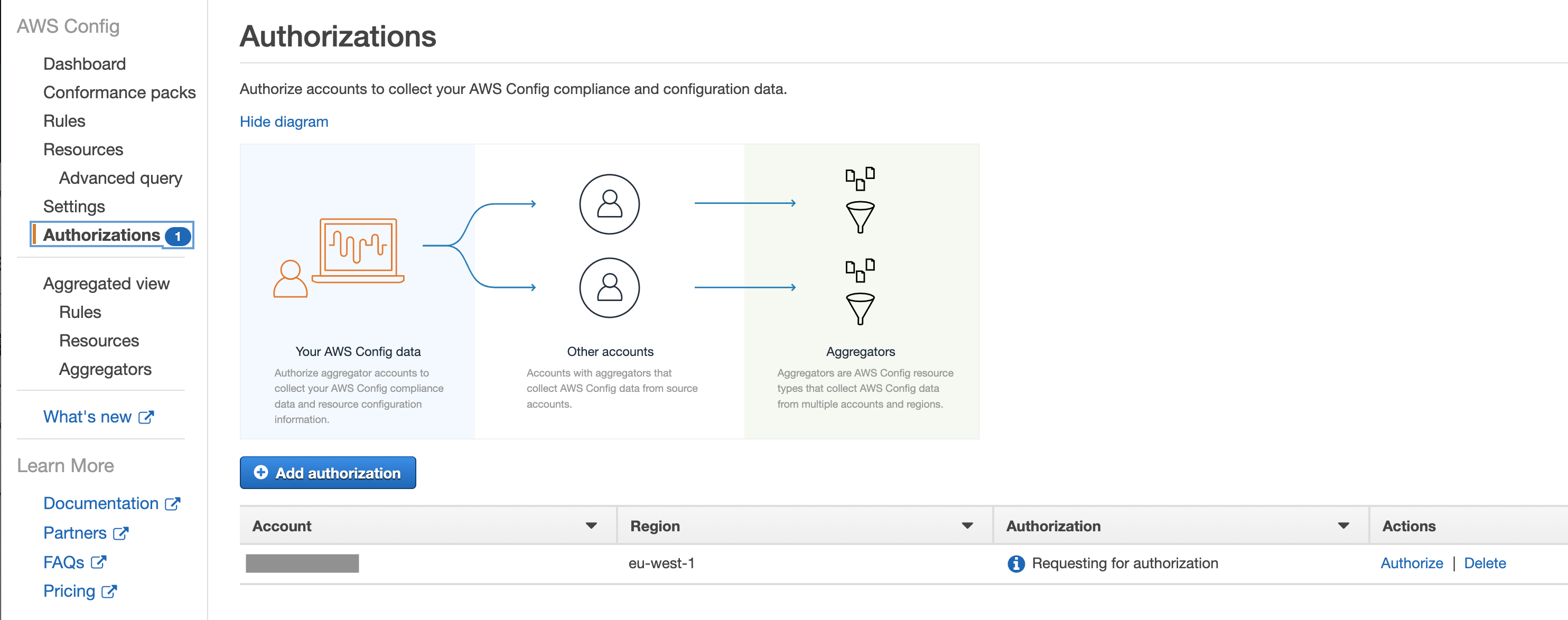
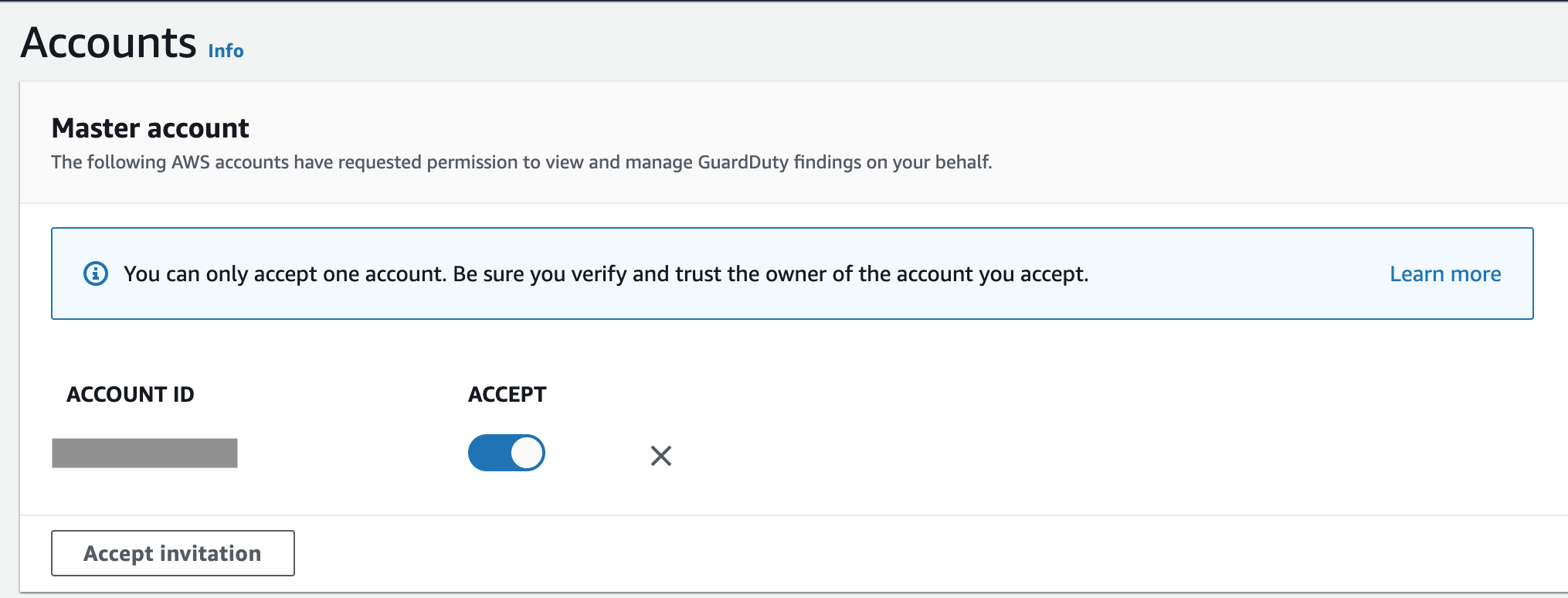
As with some other AWS services, you can aggregate the data in a single account. I recommend using the account used for security operations as a master. You will then need to establish a two-way handshake, inviting member accounts and authorising the master account to be able to consolidate the results.
There are several ways to implement threat detection in AWS but by far the easiest (and perhaps cheapest) set up is to use Amazon’s native GuardDuty. It detects root user logins, policy changes, compromised keys, instances, users and more. As an added benefit, Amazon keep adding new rules as they continue evolving the service.
To detect threats in your AWS environment, GuardDuty ingests CloudTrail, VPC FlowLogs and VPC DNS logs. You don’t need to configure these separately for GuardDuty to be able to access them, simplifying the set up. The price of the service depends on the number of events analysed but it comes with a free 30-day trial which allows you to understand the scope, utility and potential costs.
It’s a regional service, so it should be enabled in all regions, even the ones you currently don’t have any resources. You might start using new regions in the future and, perhaps more importantly, the attackers might do it on your behalf. It doesn’t cost extra in the region with no activity, so there is really no excuse to switch it on everywhere.
To streamline the management, I recommend following the AWS guidance on channelling the findings to a single account, where they can be analysed by the security operations team.
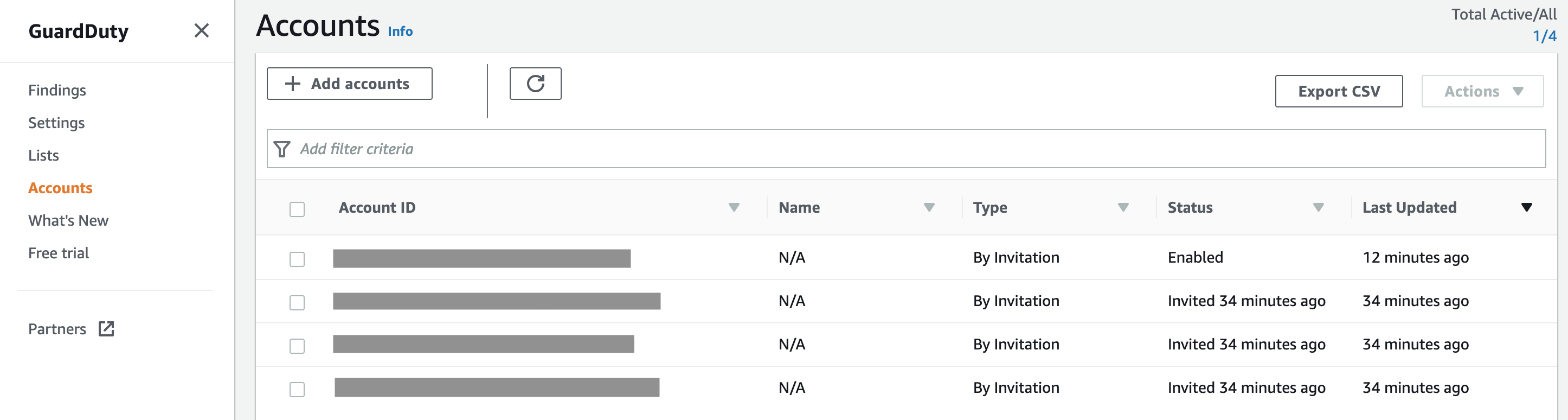
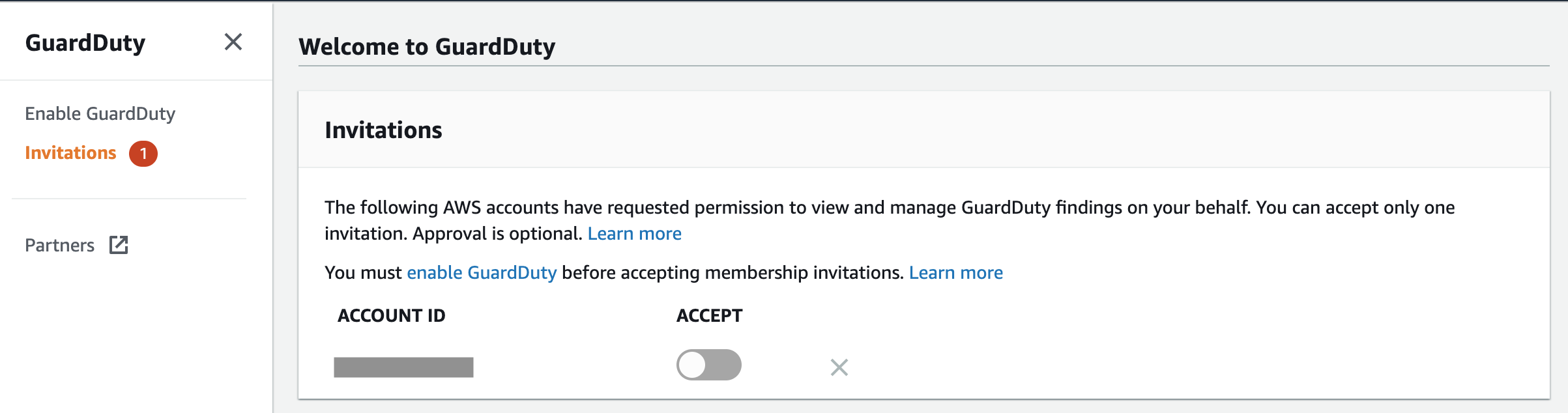
It requires establishing master-member relationship between accounts, where the master account will be the one monitored by the security operations team. You will then need to enable GuardDuty in every member account and accept the invite from the master.
You don’t have to rely on the AWS console to access GuardDuty findings, as they can be streamed using CloudWatch Events and Kinesis to centralise the analysis. You can also write custom rules specific to your environment and mute existing ones customising the implementation. These, however, require a bit more practice, so I will cover them in future blogs.
GSuite is an excellent choice for any startup, especially early in the process of establishing your business. Its flexible cost structure allows you to pay per user while benefiting from range of services, including email (with a custom domain name), calendar, document collaboration and storage, videoconferencing and much more.
GSuite, being a Software-as-a-Service (SaaS), relieves you from the underlying infrastructure management in line with the shared responsibility model. This can be especially powerful for smaller companies trying out an idea, as it doesn’t require intensive capital expenditure to set up a datacentre or staff to maintain it. Startups, however, are still responsible for the data, permissions and overall configuration of GSuite if they want to keep their information secure.
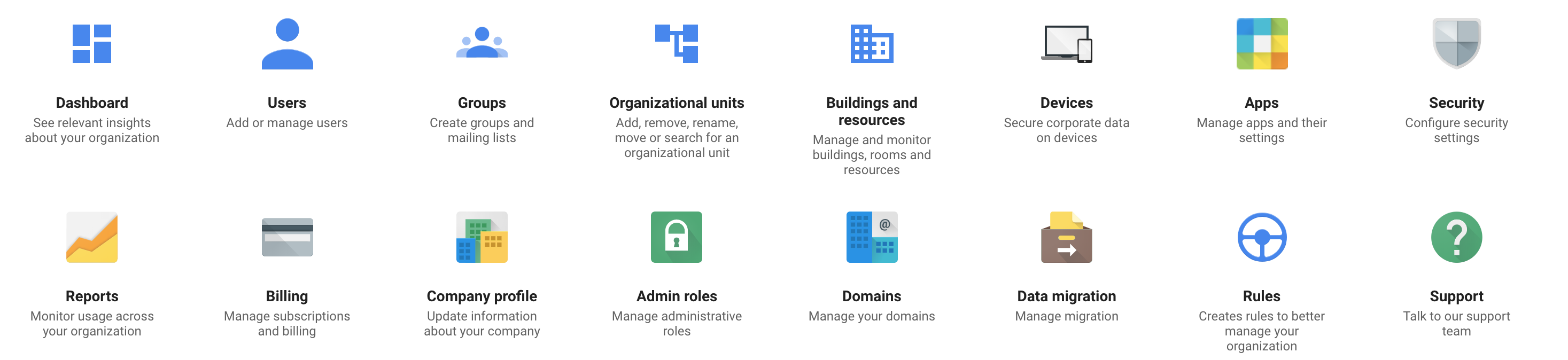
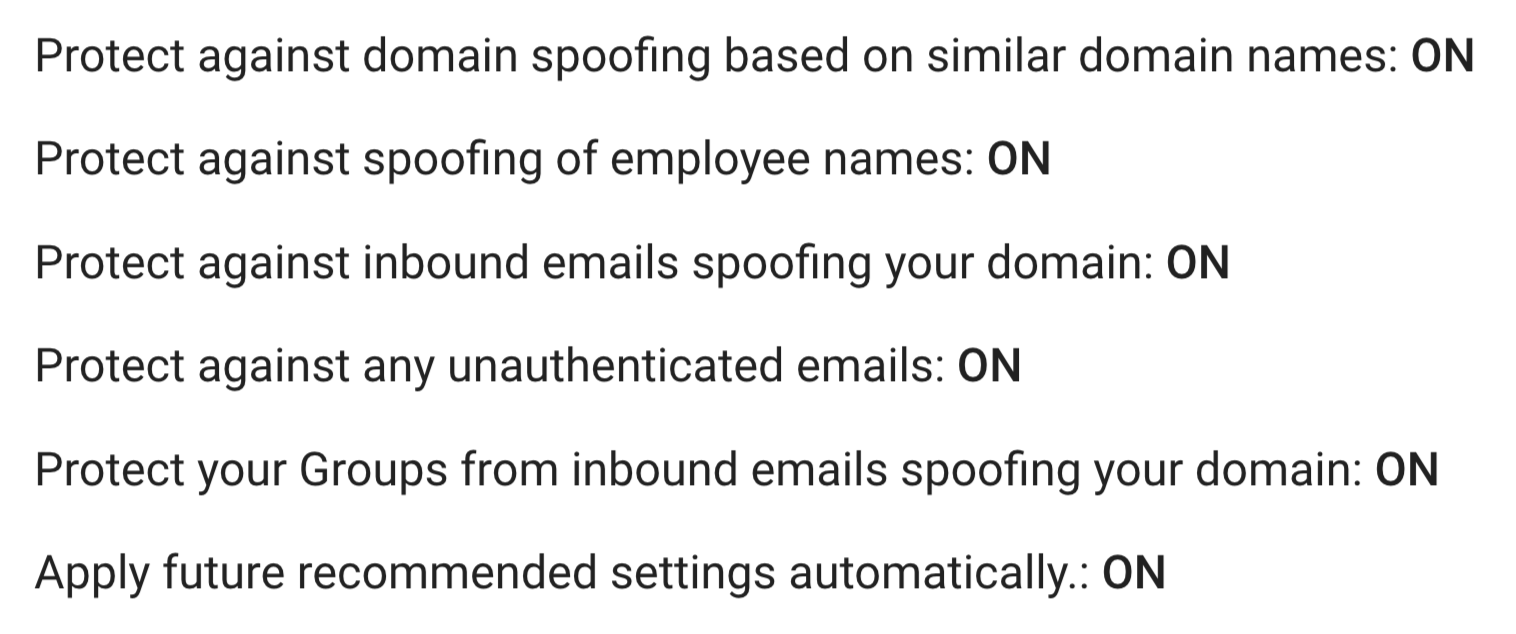
Thankfully, Google made available a short checklist for small businesses, describing the necessary steps to safeguard company data. Similar guidance is available for larger (100+ users) organisations.
The plan you select will determine how many security features are available to you. Depending on the criticality of your data and the amount of control you require, it can be a good idea to upgrade to the Enterprise plan.
Hint: if you ask customer support to put you in touch with a sales representative and request a discount, it might just be given to you. Provided you are willing to commit to the subscription for a couple of years.
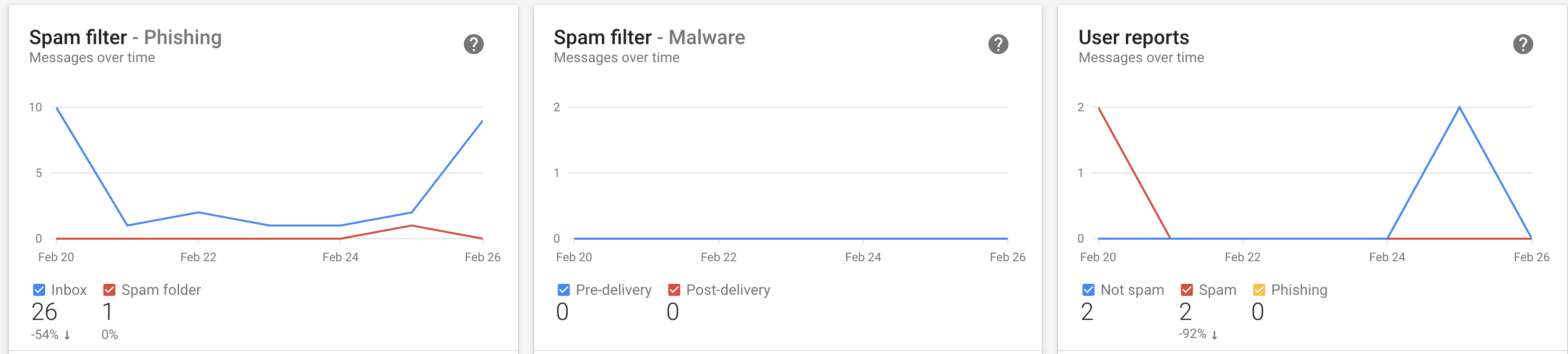
Security professionals will feel at home with the advanced features available after the upgrade. It includes encryption, data leakage prevention (DLP), granular access control and much more. Managing it is also going to become easier, as various reports and healthcheck dashboards are now at your fingertips.
Regardless of the plan you use, it won’t hurt to enable multi-factor authentication on all accounts, as it dramatically reduces the risk of account takeover. It might also be a good idea to backup your critical business data somewhere off GSuite for extra resiliency.
Committing passwords, SSH keys and API keys to your code repositories is quite common. This doesn’t make it less dangerous. Yes, if you are ‘moving fast and breaking things’, it is sometimes easier to take shortcuts to simplify development and testing. But these broken things will eventually have to be fixed, as security of your product and perhaps even company, is at risk. Fixing things later in the development cycle is likely be more complicated and costly.
I’m not trying to scaremonger, there are already plenty of news articles about data breaches wiping out value for companies. My point is merely about the fact that it is much easier to address things early in the development, rather than waiting for a pentest or, worse still, a malicious attacker to discover these vulnerabilities.
Disciplined engineering and teaching your staff secure software development are certainly great ways to tackle this. There has to, however, be a fallback mechanism to detect (and prevent) mistakes. Thankfully, there are a number of open-source tools that can help you with that:
You will have to assess your own environment to pick the right tool that suits your organisation best.
If you read my previous blogs on integrating application testing and detecting vulnerable dependencies, you know I’m a big fan of embedding such tests in your Continuous Integration and Continuous Deployment (CI/CD) pipeline. This provides instant feedback to your development team and minimises the window between discovering and fixing a vulnerability. If done right, the weakness (a secret in the code repository in this case) will not even reach the production environment, as it will be caught before the code is committed. An example is on the screenshot at the top of the page.
For this reason (and a few others), the tool that I particularly like is detect-secrets, developed in Python and kindly open-sourced by Yelp. They describe the reasons for building it and explain the architecture in their blog. It’s lightweight, language agnostic and integrates well in the development workflow. It relies on pre-commit hooks and will not scan the whole repository – only the chunk of code you are committing.
Yelp’s detect-secrets, however, has its limitations. It needs to be installed locally by engineers which might be tricky with different operating systems. If you do want to use it but don’t want to be restricted by local installation, it can also run out of a container, which can be quite handy.
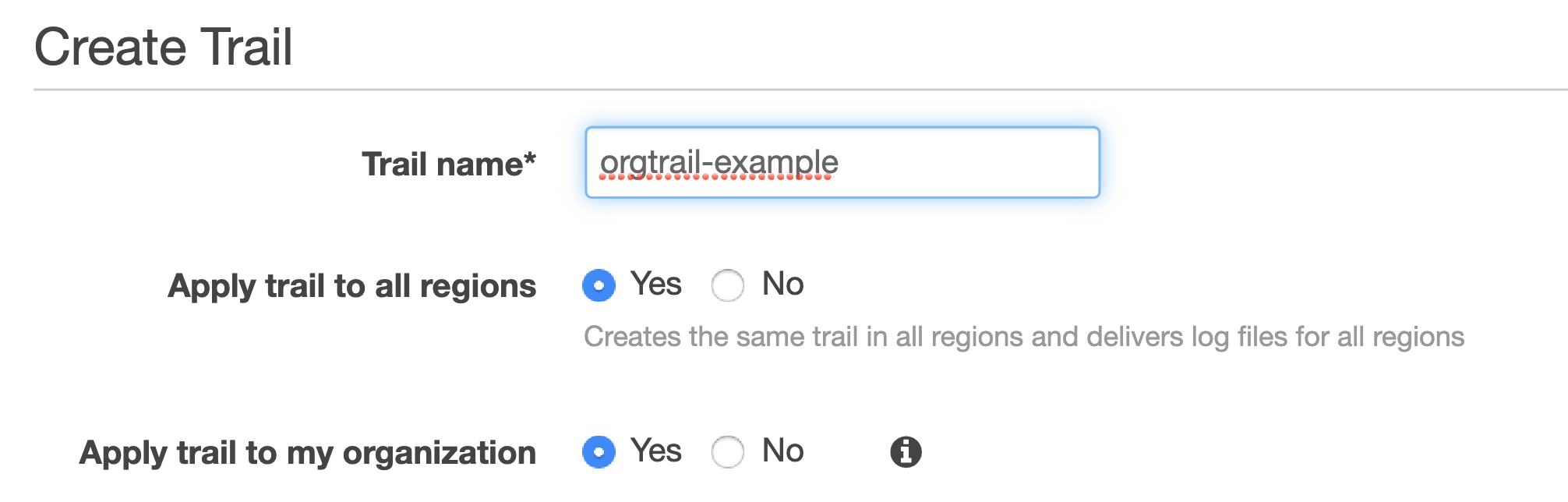
I bet you already know that you should set up CloudTrail in your AWS accounts, if you haven’t already. This service captures all the API activity taking place in your AWS account and stores it in an S3 bucket for that account by default. This means you would have to configure the logging and storage permissions for every AWS account your company has. If you are tasked with securing your cloud infrastructure, you will first need to establish how many accounts your organisation owns and how CloudTrail is configured for them. Additionally, you would want to have access to S3 buckets storing these logs in every account to be able to analyse them.
If this doesn’t sound complicated already, think of a potential error in permissions where logs can be deleted by an account administrator. Or situations where new accounts are created without your awareness and therefore not part of the overall logging pipeline. Luckily, these scenarios can be avoided if you are using the Organization Trail.
Your accounts have to be part of the same AWS Organization, of course. You would also need to have a separate account for security operations. Hopefully, this has been done already. If not, feel free to refer to my previous blogs on inventorying your assets and IAM fundamentals for further guidance on setting it up.
Establishing an Organization Trail not only allows you to collect, store and analyse logs centrally, it also ensures all new accounts created will have CloudTrail enabled and configured by default (and it cannot be turned off by child accounts).
Switch on Insights while you’re at it. This will simply the analysis down the line, alerting unusual API activity. Logging data events (for both S3 and Lambda) and integrating with CloudWatch Logs is also a good idea.
Where can all these logs be stored? The best destination (before archiving) is the S3 bucket in your account used for security operations, so that’s where it should be created.
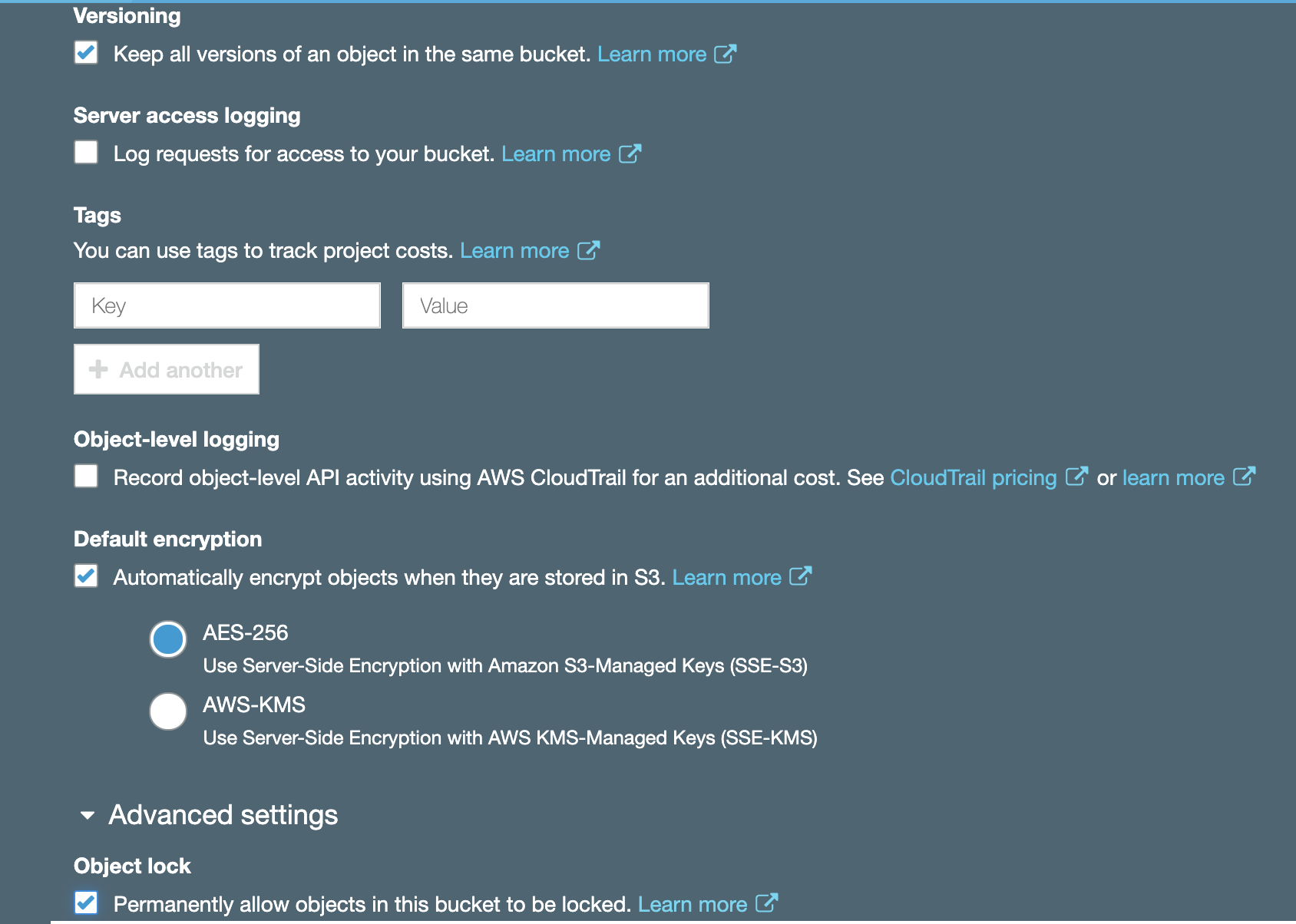
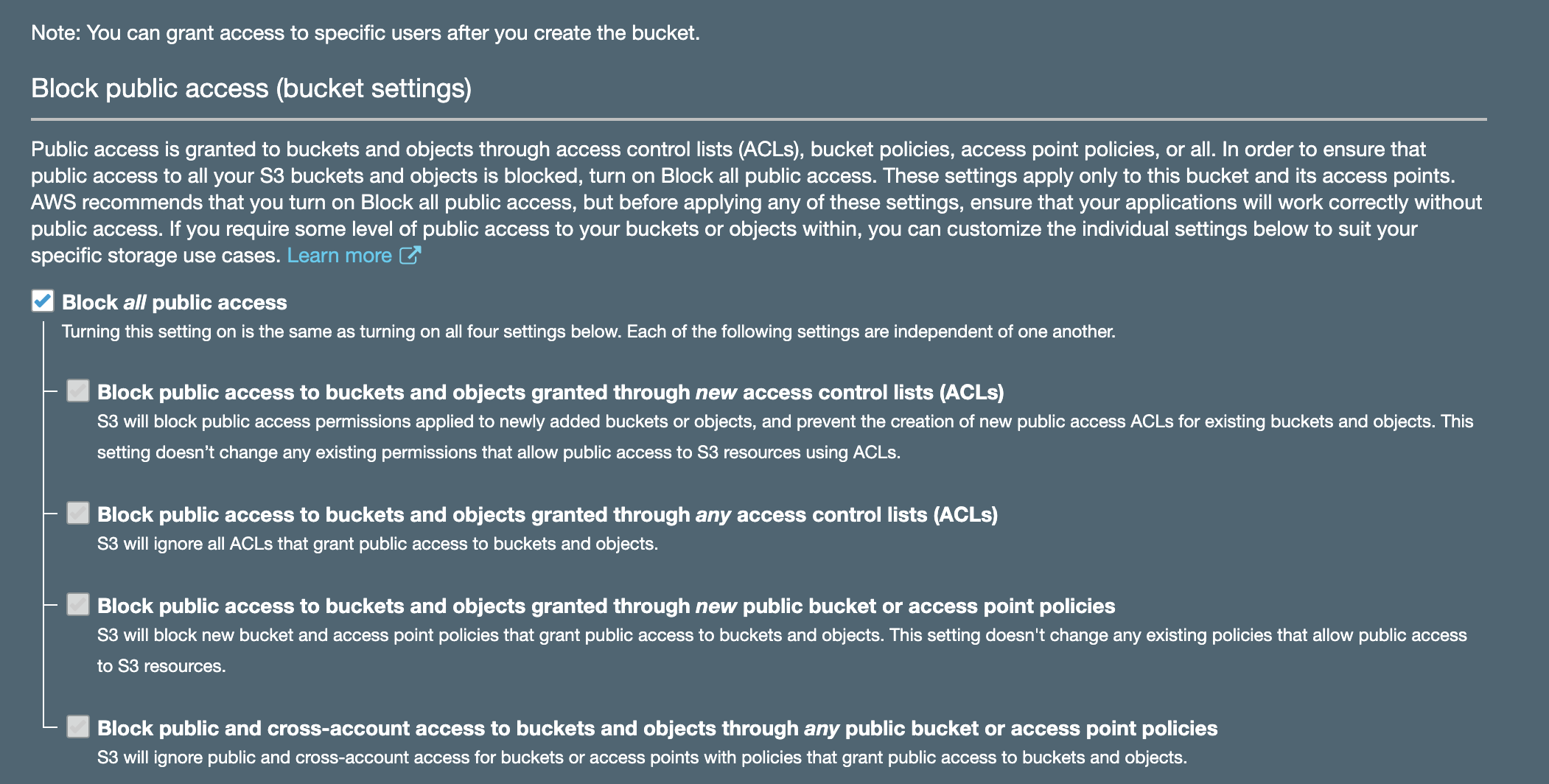
Enabling encryption and Object Lock is always a good idea. While encryption will help with confidentiality of your log data, Object Lock will ensure redundancy and prevent objects from accidental deletion. It requires versioning to be enabled and is best configured on bucket creation. Don’t forget to block public access!
You must then use your organisational root account to set up Organization Trail, selecting the bucket you created in your operational security account as a destination (rather than creating a new bucket in your master account).
For this to work, you will need to set up appropriate permissions on that bucket. It is also advisable to set up access for child accounts to be able to read their own logs.
If you had other trails in your accounts previously, feel free to turn them off to avoid unnecessary duplication and save money. It’s best to give it a day for these trails to run in parallel though to ensure nothing is lost in transition. Keep your old S3 buckets used for collection in your accounts previously; you will need these logs too. You can configure lifecycle policies and perhaps transfer them to Glacier to save on storage costs later.
And that’s how you set up CloudTrail for centralised collection, storage and analysis.
If you work for or (even better) co-founded a tech startup, you are already busy. Hopefully not too busy to completely ignore security, but definitely busy enough to implement one of the industrial security frameworks, like the NIST Cybersecurity Framework (CSF). Although the CSF and other standards are useful, implementing them in a small company might be resource intensive.
I previously wrote about security for startups. In this blog, I would like to share some ideas for activities you might consider (in no particular order) instead of implementing a security standard straight away. The individual elements and priorities will, of course, vary depending on your business type and needs and this list is not exhaustive.
Product security
Information security underpins all products and services to offer customers an innovative and frictionless experience.
Improve product security, robustness and stability through secure software development process
Automate security tests and prevent secrets in code
Upgrade vulnerable dependencies
Secure the delivery pipeline
Cloud infrastructure security
To deliver resilient and secure service to build customer trust.
Harden cloud infrastructure configuration
Improve identity and access management practices
Develop logging and monitoring capability
Reduce attack surface and costs by decommissioning unused resources in the cloud
Secure communications and encrypt sensitive data at rest and in transit
Operations security
To prevent regulatory fines, potential litigation and loss of customer trust due to accidental mishandling, external system compromise or insider threat leading to exposure of customer personal data.
Enable device (phone and laptop) encryption and automatic software updates
Make a password manager available to your staff (and enforce a password policy)
Implement mobile device management to enforce security policies
Invest in malware prevention capability
Segregate access and restrict permissions to critical assets
Conduct security awareness and training
Cyber resilience
To prepare for, respond to and recover from cyber attacks while delivering a consistent level of service to customers.
Identify and focus on protecting most important assets
Develop (and test) an incident response plan
Collect and analyse logs for fraud and attacks
Develop anomaly detection capability
Regular backups of critical data
Disaster recovery and business continuity planning
Compliance and data protection
To demonstrate to business partners, regulators, suppliers and customers the commitment to security and privacy and act as a brand differentiator. To prevent revenue loss and reputational damage due to fines and unwanted media attention as a result of GDPR non compliance.
Ensure lawfulness, fairness, transparency, data minimisation, security, accountability, purpose and storage limitation when processing personal data
Optimise subject access request process
Maintain data inventory and mapping
Conduct privacy impact assessments on new projects







 If you work for or (even better) co-founded a tech startup, you are already busy. Hopefully not too busy to completely ignore security, but definitely busy enough to implement one of the industrial security frameworks, like the NIST Cybersecurity Framework (CSF). Although the CSF and other standards are useful, implementing them in a small company might be resource intensive.
 I wrote for
 Cyber Security Leadership